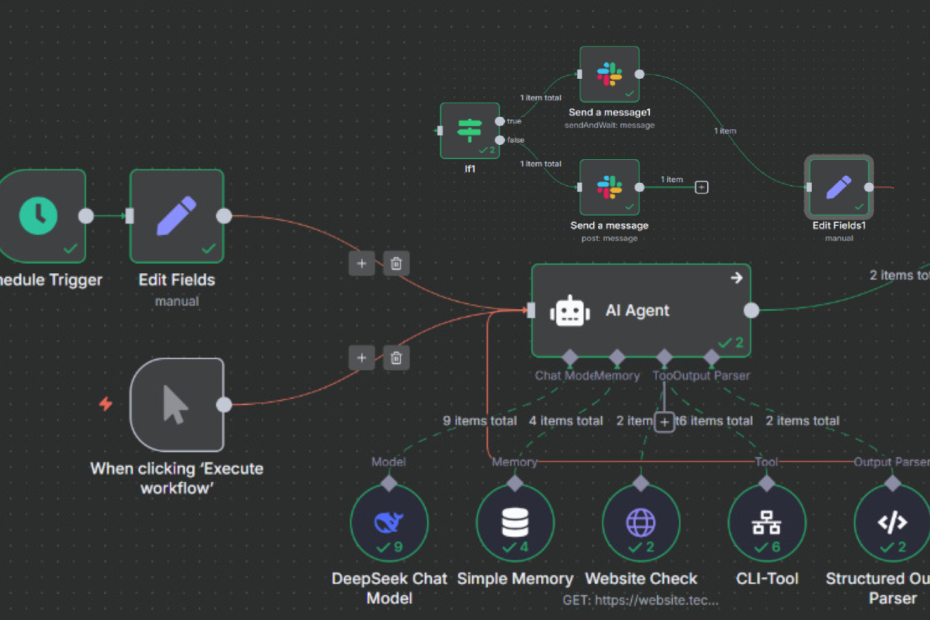
Recently, I created an end-to-end automation workflow that monitors a sample website, applies fixes when needed, and requests approval via Slack before executing any critical commands. The entire setup runs inside Docker and costs just a few cents in API usage thanks to DeepSeek.
The idea came to me after watching a YouTube video by NetworkChuck you can check it out here.
Fun fact: most of the writing in this post was actually crafted by ChatGPT, and yes that was intentional! 😊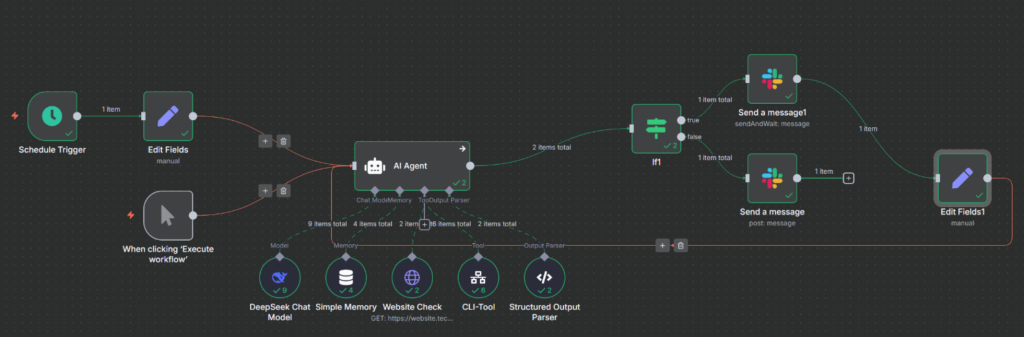
🛠️ Tools & Technologies Used
- n8n – Open-source workflow automation, running in Docker
- DeepSeek Chat Model – For natural language analysis & structured output (~$0.04 spent on API tokens)
- Slack Integration – To send alerts and request approvals (Approve/Decline)
- Apache Reverse Proxy + SSL – To securely expose n8n and the website
- Docker – For hosting both the website and n8n itself
⚙️ How the Workflow Works
Below is the workflow I created in n8n:
- Schedule Trigger
The workflow starts on a schedule (or can manually trigger via “Execute Workflow”). - Website Check
A simple HTTP check verifies if my website (in this case website.techbyk.com) is up and responding with the correct content. - AI Agent (DeepSeek)
The response is passed to an AI Agent node powered by DeepSeek.- If the website is down, DeepSeek analyzes the issue and suggests or applies a fix.
- The output is structured into JSON (e.g.,
website_up,applied_fix,needs_approval,commands_requested).
- Slack Notification & Approval Flow
- If immediate approval is needed, n8n sends a Slack message with Approve/Decline buttons.
- If the fix is safe, n8n applies it automatically.
- Slack is also used to post updates about website status.
5. Conditional Logic
Using If nodes, the workflow decides whether to send an approval request, execute a command, or simply notify that the website is up.
🔐 Slack Approval Flow
I created a simple Slack bot with the following scopes:
chat:write(send messages)commands(enable approval buttons)channels:readandusers:read(to interact with workspace users and channels)
This allowed me to push alerts to Slack and get interactive approvals before running any critical commands like systemctl, docker start/stop, kill, etc.
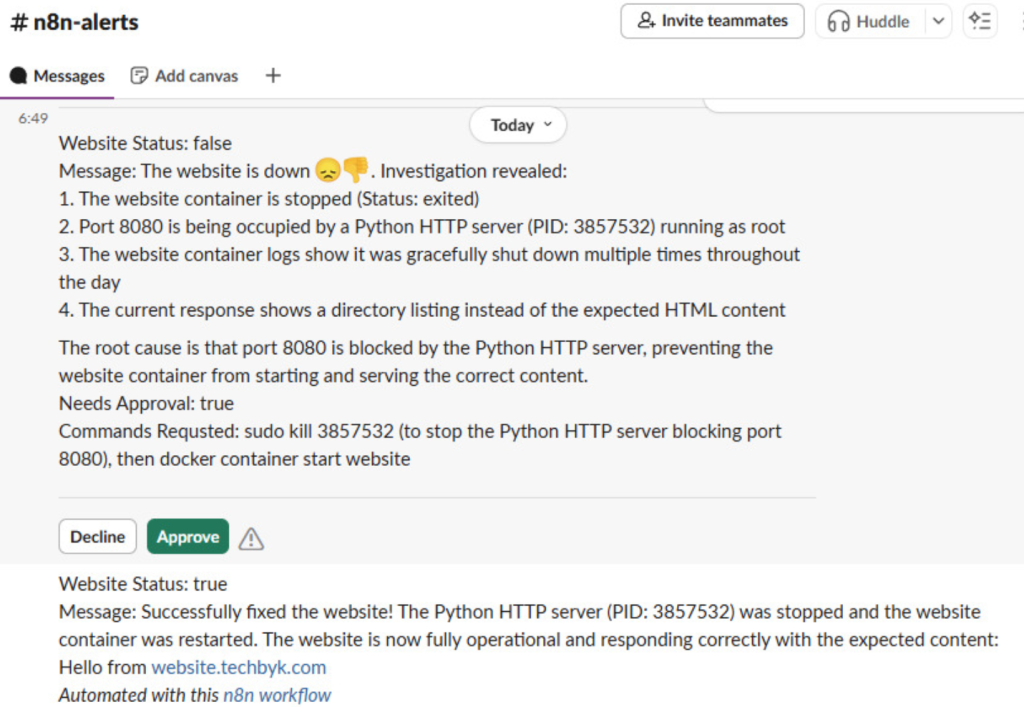
Figure 02 shows an example of what an approval message looks like. If it got approved, then the AI agent would then resume the workflow and make sure the intended website is in running state.
🚀 Deployment
Both my website and n8n are running inside Docker containers (Figure 03).

- n8n is exposed securely via Apache reverse proxy + SSL.
- Slack is configured to communicate with n8n for OAuth and interactive events.
- The workflow can be triggered on a schedule or on-demand.
💰 Cost
The entire project cost me around $0.04 in DeepSeek API tokens during testing. Slack integration itself is free. Docker + Apache run on an Amazon Linux 2023 server I already use.
✅ Results
- Automatic website uptime monitoring
- AI-assisted debugging & fixes
- Secure approval flow for risky commands
- Slack-based notifications and control
The result: a lightweight, low-cost automation system that keeps my website healthy without constant manual intervention.
👉 This project showed me how powerful n8n + AI + Slack can be for DevOps-style incident response automation, delivering real results without a massive budget. It also highlighted just how critical well-crafted prompts are in guiding AI towards reliable, actionable outcomes.